

Welcome Back
GGLBETLogin
Your sports. Your odds. Your wins.
Access your account to continue betting on your favourite sports, live events and more.
Secure & Trusted
Encrypted platform for Singapore players.
Fast Access
Log in quickly and get back to the action.
24/7 Support
Our team is always here to help.
Play Anywhere
Access your account on web and mobile.

New to GGLBET?
Join Now and Get
a Welcome Bonus
Up to S$2,500
250% sportsbook welcome · first two deposits
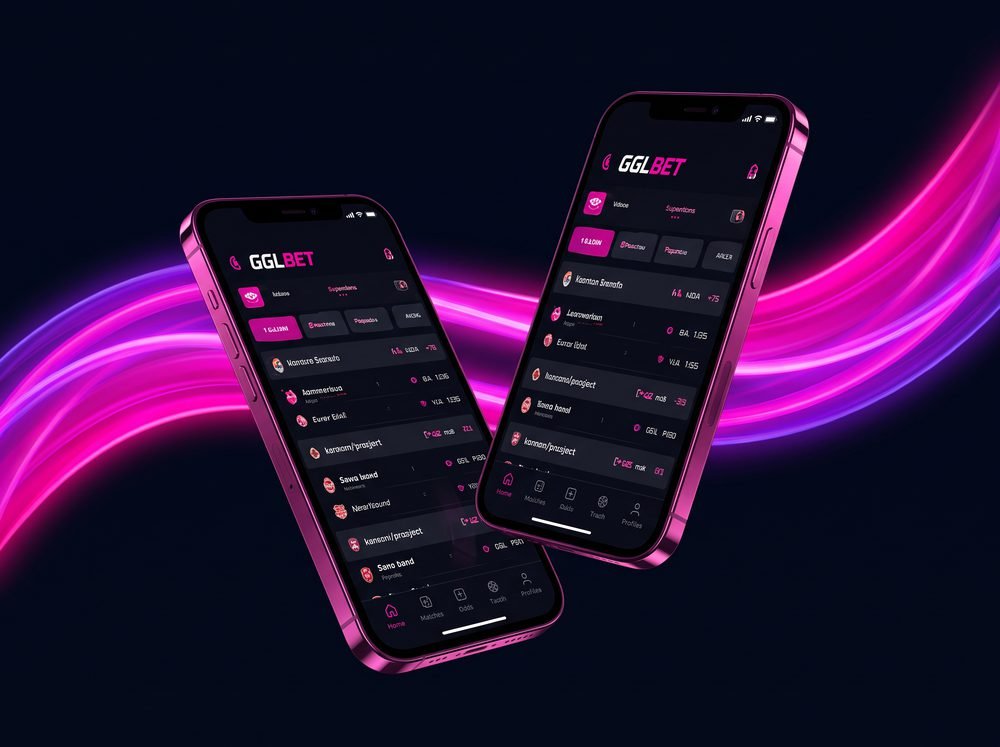
Take GGLBET Sports
On the Go
Bet anytime, anywhere in Singapore. GGLBET runs in your phone's browser: nothing to download, same account as on desktop.
- Fast & Smooth Experience
- Full Sports Markets
- Live Odds Updates
- No App Download Needed
GGLBET Login Guide
Log in to GGLBET to bet on sports and esports, play live casino and check your SGD balance. One username and password work on desktop and mobile.
Last checked: 12 October 2026, by the GGLBET Editorial Team.
In short:
- One username and password for phone and computer; there is no separate app.
- Forgot your password? Use Forgot Password; Live Chat can recover a forgotten username.
- Never open a second account: duplicates are closed.
If you cannot sign in, reset the password from the sign-in form, check your spam folder for the email, and contact Live Chat if it does not arrive. Real staff never ask for your password or a one-time code.
This GGLBET login guide covers signing in on a phone or a computer, what to do when it fails, and how to keep your GGLBET account safe. Most GGLBET login problems come from three things: a mistyped password, a look-alike site, or an account check in progress. Each has a quick fix, set out below.
GGLBET Sign In: Phone and Computer
The GGLBET sign in works the same everywhere. Open the site in your browser, tap Login at the top, and enter your username and password. There is no separate app login: the mobile site uses the same details as the desktop site. For a faster GGLBET sign in on your phone, add the site to your home screen and let your phone's password manager fill in the details. Avoid saving your password in a shared browser, and always log out on a shared or work device.
If the GGLBET sign in page looks different from usual, stop and check the address before typing anything. Copycat sites copy the design to collect passwords.
GGLBET Log In Problems and Fixes
When a GGLBET log in fails, work through these causes in order:
| Problem | What to do |
|---|---|
| Wrong password | Check Caps Lock and the keyboard language, then use "Forgot Password?" to reset it by email. |
| Forgotten username | Live Chat can find it from the details you registered with. |
| Reset email missing | Check spam and junk folders, then ask Live Chat to recover the account. |
| Account blocked | Accounts can be blocked for rule breaches or after a deposit made in error; Live Chat will explain why. |
| Page will not load | Clear the browser cache, try another browser, or switch between Wi-Fi and mobile data. |
If your GGLBET log in still fails after a reset, do not create a new account. Duplicate accounts are closed; recovering the original is quicker.
Keeping Your GGLBET Account Secure
Your GGLBET account holds money and personal details, so treat it like a bank login. Use a long, unique password that you do not use anywhere else. Never share your password or a one-time code with anyone, including people who say they are GGLBET staff: real support never asks for them. Log in only from links you trust, and check that deposit instructions come from the cashier inside your GGLBET account, never from a chat message with a personal bank account. If you think someone else knows your password, contact Live Chat at once so the GGLBET account can be secured while the password is changed.
GGLBET Login on Different Devices
The GGLBET login is browser-based, so it behaves the same on every device. On an iPhone, use Safari or Chrome and tap Share, then Add to Home Screen, to create a one-tap shortcut. On Android, Chrome's menu offers Add to Home screen. On a computer, any modern browser works; bookmark the page you trust rather than searching for it each time. Keep your browser updated, because older versions can block the secure connection the GGLBET login page needs, and turn on automatic updates if you can.
Choosing a Password That Holds Up
A strong password is the cheapest protection you have. Use at least twelve characters, mixing words, numbers and symbols, and do not reuse a password from another site: if that site is breached, attackers try the same details elsewhere. A password manager, such as the one built into iPhone or Android, can create and remember a unique password for your GGLBET login. Change it straight away if you ever typed it into a page you are not sure about.
Spotting a Fake GGLBET Login Page
Fake login pages are the most common way players lose accounts. Before you enter your details, check these signs:
- The address: a misspelt domain, extra words or an unfamiliar ending is a warning.
- The link source: links in direct messages, group chats or ads promising bonuses are the riskiest.
- The request: a real GGLBET login asks for your username and password only, never a one-time code from your bank.
- The operator details: the real site names its operator and licence in the footer.
If you have typed your details into a suspicious GGLBET login page, change your password from the real site at once and tell Live Chat.
If Someone Else Accessed Your Account
Act quickly. Contact Live Chat and ask for the account to be secured, change your password, and check My Bets and your transaction history for anything you did not do. Tell support about any withdrawal details you do not recognise. If you used the same password elsewhere, change it there too. Afterwards, keep an eye on your email for reset messages you did not request, which can mean someone is still trying.
Your Account After Signing In
Once signed in, your balance shows at the top of the page. The Profile area holds your personal details, verification status, VIP rank and promotional bonuses. My Bets lists open and settled bets, where Cash Out and Edit Bet appear when available. The cashier handles deposits from S$20 and withdrawals from S$50. If you need help with anything inside the account, the Help Centre and 24/7 Live Chat are the places to go.
First Steps After Your First GGLBET Login
- Check your profile details. They must match your ID for withdrawals.
- Upload verification documents early, so a later payout is not held.
- Decide on a welcome bonus before your first deposit; it must be claimed first in Profile, Promotional Bonuses.
- Set a deposit limit that fits your budget, with Live Chat's help if needed.
- Make your first deposit from S$20 by PayNow, Singapore bank transfer or USDT.
The promotions page explains each welcome offer, and the registration guide covers sign-up if you have not created an account yet.
Deposits and Withdrawals Once You Are In
The cashier sits behind the Deposit button at the top of the page. Deposits start at S$20 and are usually approved in 1 to 3 minutes; Singapore accounts can use PayNow, local bank transfer from DBS, POSB, OCBC and UOB, or USDT. Withdrawals start at S$50, go to an account in your own name and usually arrive in 5 to 120 minutes after approval, with no fee apart from crypto network fees. Daily withdrawal limits depend on your VIP rank, from S$5,000 to S$50,000. If a payment looks stuck, note the time, amount and reference and send them to Live Chat.
A Five-Point Security Checklist
- A unique password of twelve characters or more, stored in a password manager.
- Screen lock and biometric unlock on every phone you use for betting.
- Bookmarks or home-screen shortcuts instead of links from messages.
- Log out on shared devices and clear saved passwords from browsers you do not own.
- An email account with its own strong password, since password resets go there.
Using Live Chat for Account Help
Live Chat runs 24 hours a day and is the quickest way to recover access, check a payment or ask about a blocked account. Start by giving your username, never your password. For payment questions, have the amount, method and transaction reference ready. For security concerns, ask the agent to secure the account first and then explain what happened. Keep one conversation open until the issue is solved, rather than starting several, so the agent sees the whole history.
Good Habits for Every Session
Signing in is also a good moment to check how you are doing. Look at your balance against what you deposited this week, set a time limit for the session, and decide your stake before you open a game or market. If you notice you are logging in more often than you meant to, Live Chat can set deposit limits or close the account for a period you choose. Short, planned sessions are easier to enjoy and easier to stop. If a session ends in a loss, log out rather than depositing again straight away; the decision always looks different the next day.
Login and Verification
Logging in and being verified are different things. You can log in and play as soon as you register, but GGLBET verifies identity before paying out, and may ask for a passport or ID card and a recent proof of address. While a check is open, withdrawals can be held. Uploading clear documents early avoids delays later, especially before a large withdrawal.
Bonuses, Bets and Balances After Signing In
Three areas of the account answer most questions once you are in. Promotional Bonuses shows every offer you can claim, the ones you have claimed and the turnover left on each; check it before you deposit, because welcome offers must be claimed first. My Bets shows pending and settled bets with their bet IDs, which support will ask for if you query a result. The balance at the top splits real money from bonus money while a bonus is active, which explains why the withdrawable amount can be lower than the total. If any of these look wrong, a screenshot and the bet ID or offer name let Live Chat check it quickly.
Signing In From Abroad
If you travel, you may find the site behaves differently, because operators restrict some countries and payment methods. Use the same trusted bookmark, expect extra security checks from a new location, and remember that local gambling laws apply wherever you are. Avoid public Wi-Fi for logging in where you can, or use your phone's mobile data instead. Hotel and airport networks are convenient, but they are also where fake sign-in pages and snooping are most common.
More GGLBET Login Questions
Can I stay logged in on my phone?
Your browser may keep you signed in, but on a shared phone it is safer to log out after each session. A password manager makes signing in again quick.
Can I change my username?
Usernames are usually fixed. Contact Live Chat if there is a good reason to change it, such as a username that reveals personal details.
Why was I logged out suddenly?
Sessions can end after a period of inactivity, a password change or a security check. Log in again from a trusted link; if it keeps happening, tell Live Chat.
Can I reset my password without email access?
Not by yourself, because the reset link goes to your registered email. Contact Live Chat, which can verify your identity in other ways and help you regain access.
Is two-factor authentication available?
Check the security settings in your profile. Whatever is offered, a unique password and a secured email account remain the most important protections.
Why does the site ask me to verify after logging in?
Verification can be triggered by a first withdrawal, a large payment or a change of details. It protects your account and is needed before payouts.
Does the GGLBET login work in other languages?
Yes. The same username and password work whichever language you choose, and this site has English, Chinese and Malay versions.
Is It Safe to Log In From Singapore?
GGLBET is an offshore operator (Mega Play N.V., registration number 162396, Curaçao) that states it is licensed in Anjouan (Union of Comoros). It is not licensed by Singapore's Gambling Regulatory Authority, and under the Gambling Control Act 2022 gambling with an unlicensed remote operator is an offence for the player too. Check the law that applies to you. If gambling causes problems, call the National Problem Gambling Helpline on 1800-6-668-668 or visit the National Council on Problem Gambling, and see our responsible gambling page.
How to log in to GGLBET
- Open GGLBET. Go to the GGLBET site on your phone, tablet or computer.
- Tap Sign In. The Sign In button sits in the top-right corner of every page.
- Enter Your Details. Type the username or email and the password you chose when you registered.
- Deposit and Play. Your balance shows at the top. Deposits start at S$20 and are approved in 1–3 minutes.
Login problems and quick fixes
Forgot your password. Use the “Forgot Password?” link on the sign-in form. If the reset email doesn't arrive, Live Chat can recover the account.
Forgot your username. Contact 24/7 Live Chat or email support@gglbet.com with the details you registered with.
Someone knows your password. Tell Customer Service straight away. They will block the account while the problem is fixed.
Account blocked. Accounts can be blocked for breaking the betting rules or after a deposit made by mistake. Live Chat will tell you why and what to do next.
Shared or public device. Always tap Log out before you close the page, so the next person on the device can't open your account.
Wrong name or currency. Name, date of birth and account currency can't be changed after sign-up unless you send a supporting document.
Frequently asked questions
Do I use the same GGLBET login on mobile and desktop?
Yes. One GGLBET account works on every device, so the same username and password sign you in on your phone and your computer.
What should I do if I forget my GGLBET password?
Use the “Forgot Password?” option on the sign-in form. If the email address on the account is wrong or the reset fails, contact 24/7 Live Chat and the team will help you recover access.
Why can't I log in to my GGLBET account?
The usual causes are a mistyped username or password, or an account that has been blocked. Check the details first; if they are right, Live Chat can tell you whether the account is blocked and why.
How do I keep my GGLBET account secure?
Don't share your password, log out on shared devices, and tell Customer Service at once if someone else learns your login details. They will block the account until it is safe again.
Where can I see my GGLBET account number?
After you log in, open My Profile and then My Data. Your account ID is shown there.